Cases vs Incidents
Entry point and visibility
Use case: Understand what is happening across your environment during on-call or active monitoring.
- Incidents
- Cases
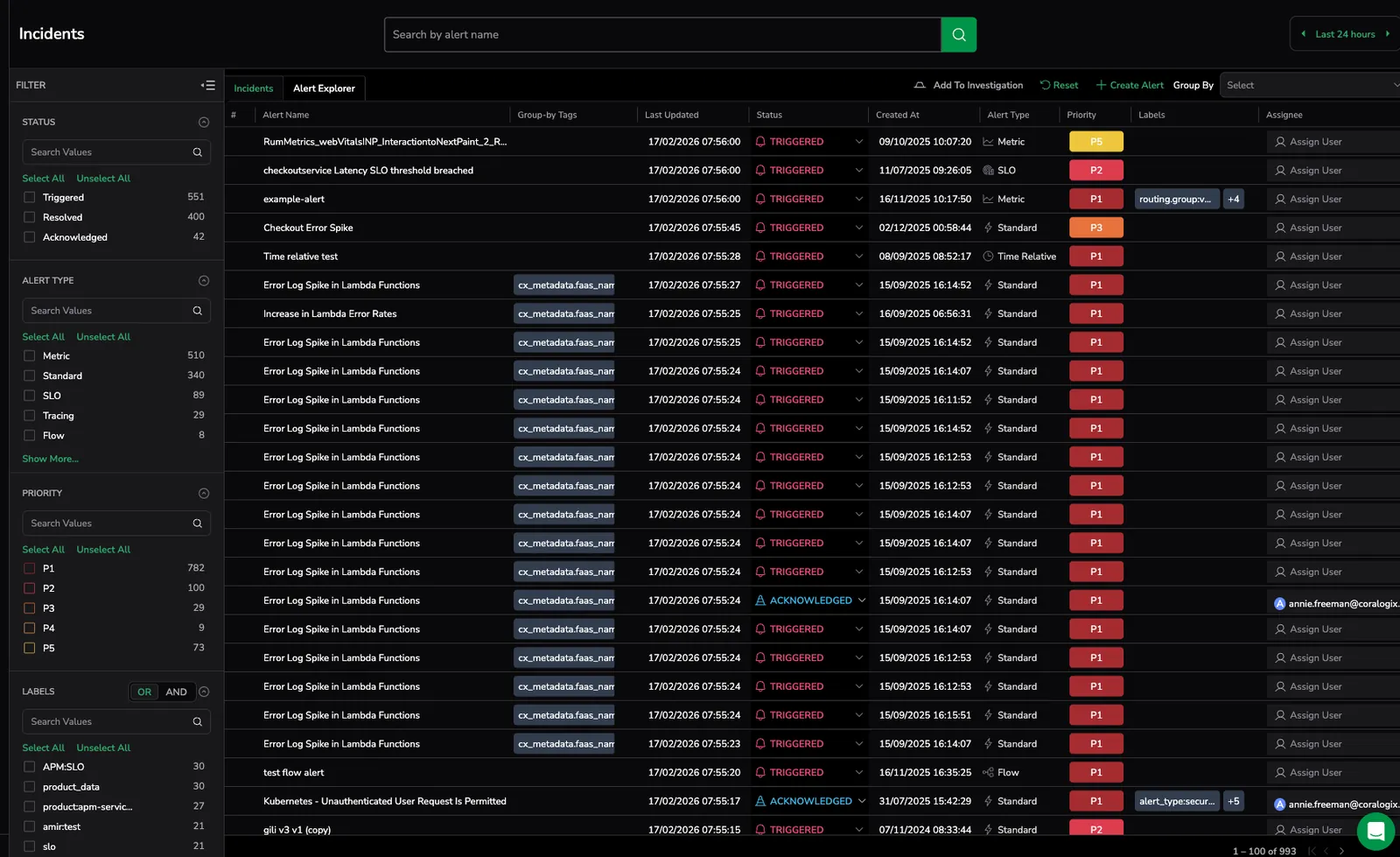

Provide visibility into individual triggered alerts grouped by alert definition or group-by tags. Users monitor alert events and investigate each alert separately to understand impact.

Start from the Cases table, which provides a consolidated view of operational issues with status, priority, ownership, lifecycle state, and grouping context. From this view, users can quickly identify issues and drill down into investigation data.
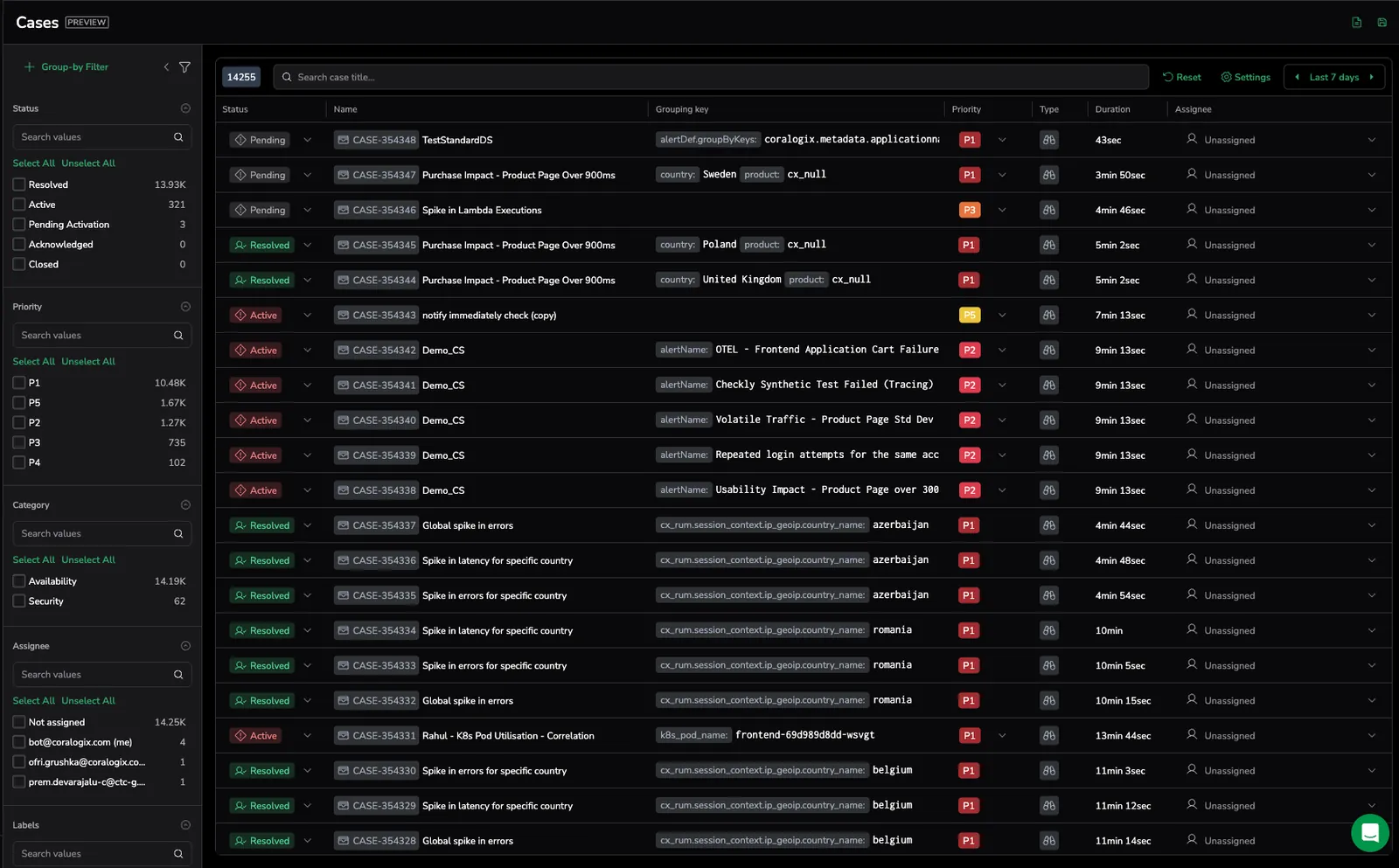
Why Cases: Monitor real operational issues instead of individual alert triggers and move directly from detection to investigation.
Triage experience
Use case: Confirm whether an alert represents real impact and identify where to investigate first.
- Incidents
- Cases
Require users to manually drill down into logs, metrics, or traces for each alert event to understand context.
Provide a curated triage workflow with built-in views showing alert behavior, affected entities, evaluation data, logs, traces, metrics, and related cases.
Why Cases: Investigate faster with structured triage views and pre-correlated telemetry.
Context and investigation workflow
Use case: Understand impact, root cause, and system behavior during an incident.
- Incidents
- Cases
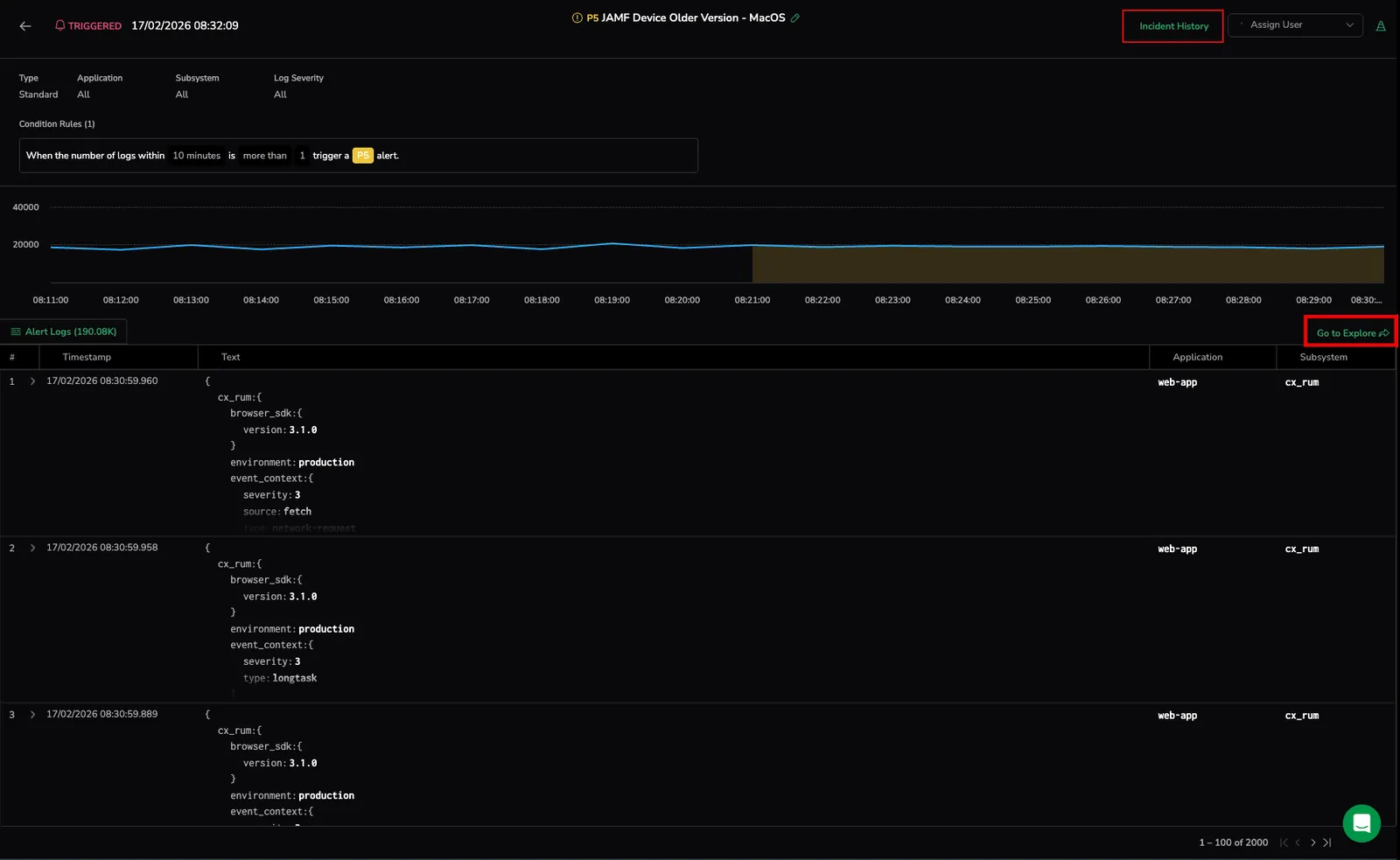
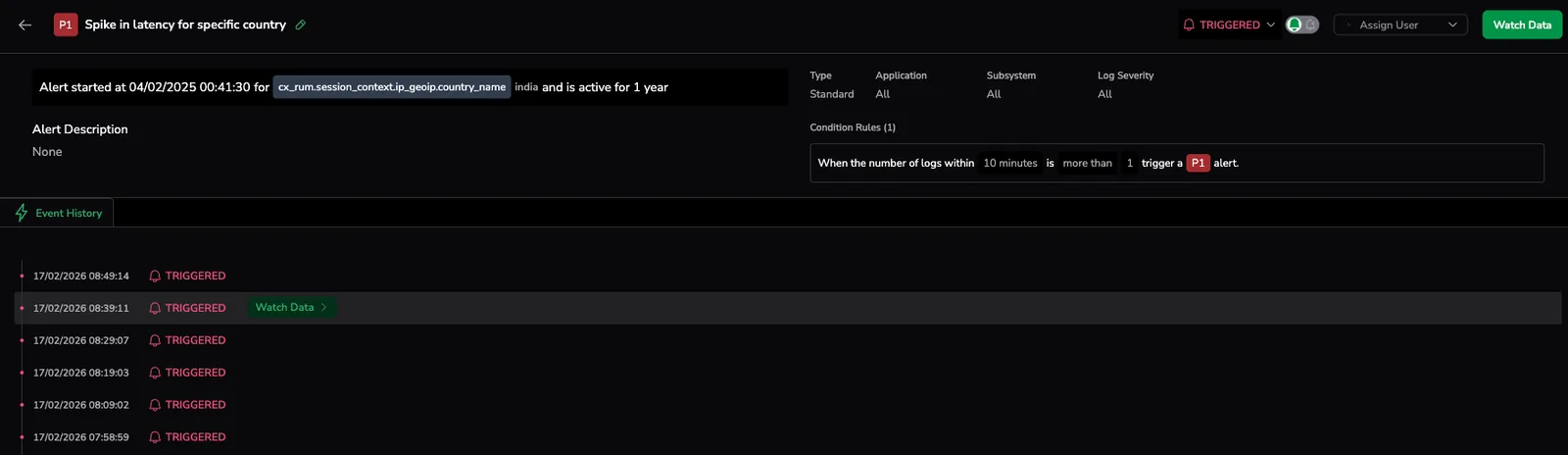
Focus on alert trigger details and event history. Context must be manually explored across multiple screens.
Provide a unified investigation workspace that delivers a 360-degree view of what happened, what is impacted, and suggested next steps, while guiding users to the relevant services or features for deeper investigation.
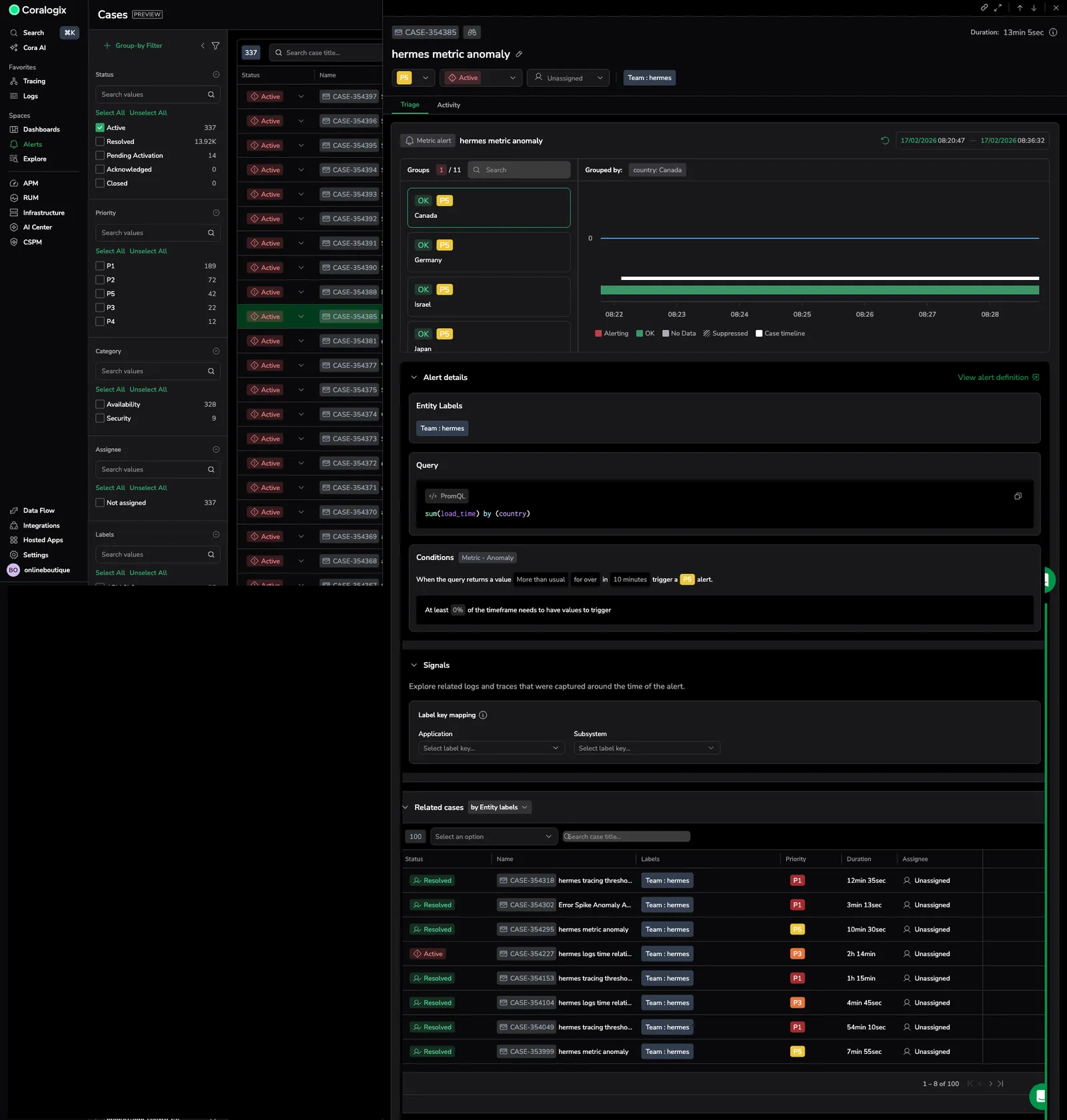
Why Cases: Get full operational context without switching between tools or views.
Incident lifecycle management
Use case: Track progress from detection through resolution using a consistent workflow.
- Incidents
- Cases
Support basic lifecycle states (Triggered, Acknowledged, Resolved) with limited workflow controls.

Provide structured lifecycle states (Pending, Active, Acknowledged, Resolved, Closed) with suppression windows, cooldown periods, and inactivity resolution.

Why Cases: Maintain predictable incident workflows and prevent repeated or unstable alerts.
Ownership assignment
Use case: Ensure operational issues are assigned to the correct team and keep ownership consistent across systems.
- Incidents
- Cases
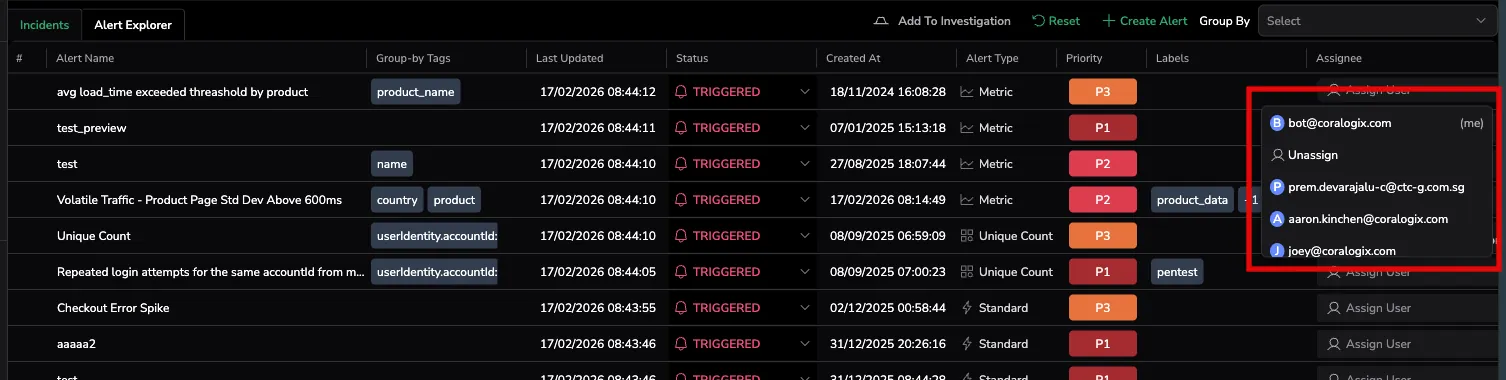
Allow manual assignment and status changes after an alert triggers.
Support assignment and ownership management, with the ability to synchronize assignee information with third-party integrations to keep ownership consistent across systems.
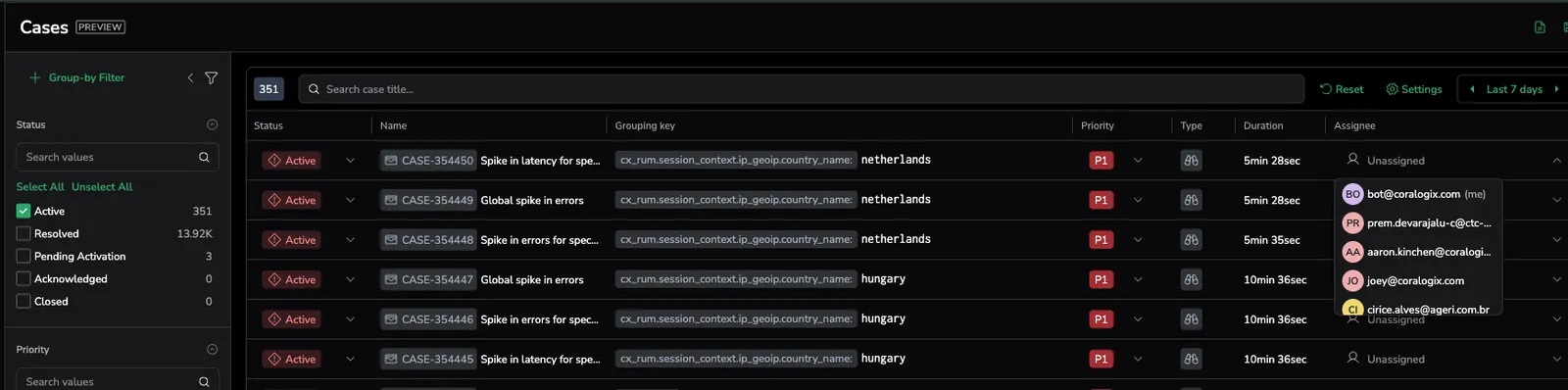
Why Cases: Maintain consistent ownership and coordination across teams and external operational workflows.
External workflow alignment
Use case: Keep operational workflows aligned with external tools. Notifications and external state synchronization are supported through Cases, while Incidents do not support notification workflows.
- Incidents
- Cases
Operate primarily within the Coralogix platform. Notifications are managed at the alert level and are separate from incident management.
Synchronize incident state bi-directionally with ITSM systems such as ServiceNow and support notifications to external operational tools.
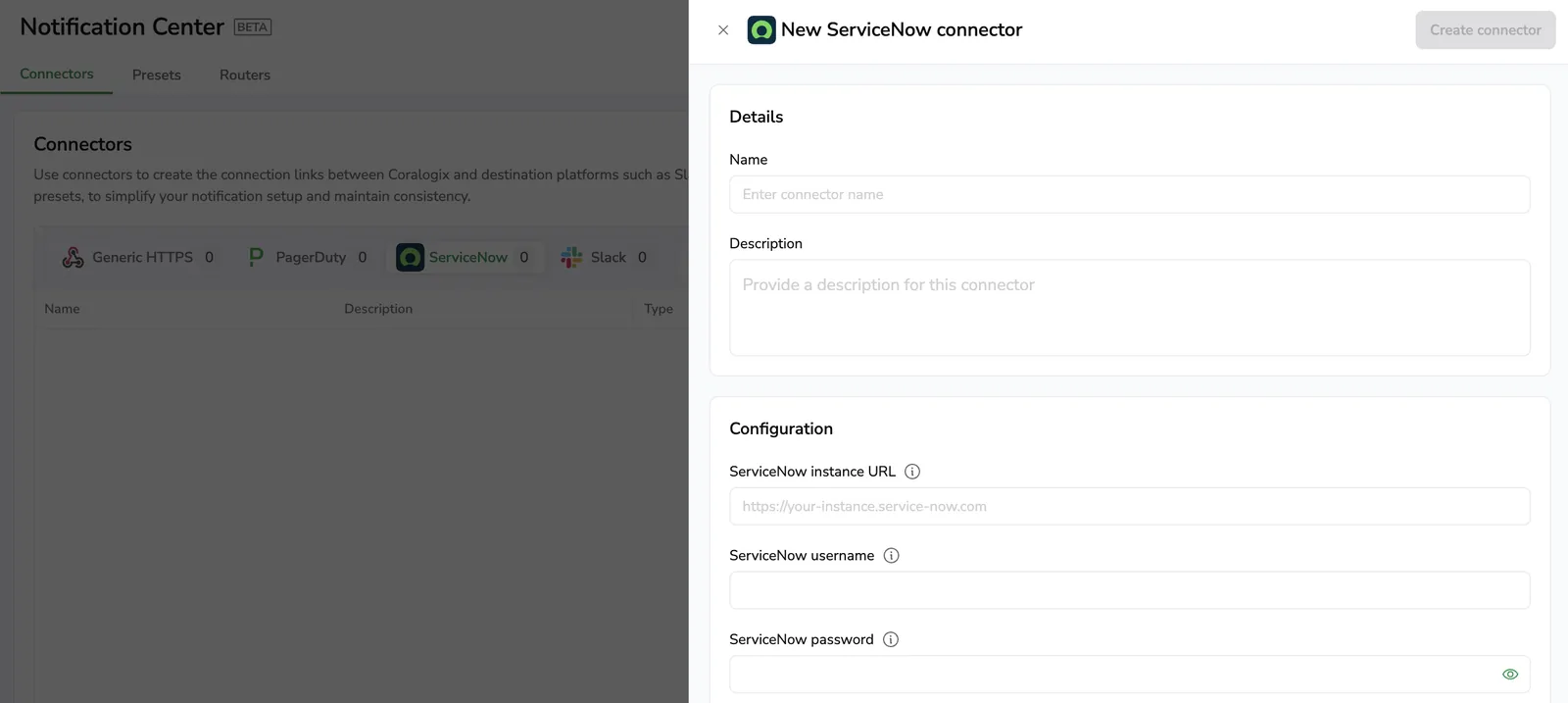
Why Cases: Avoid duplicate workflows and keep external systems aligned automatically.
Automation and operational efficiency
Use case: Control which alerts create operational issues and reduce noise from low-impact or unstable conditions.
- Incidents
- Cases
Are created when alerts trigger, with limited control over which alert activity becomes an incident.
Allow you to define which alerts create Cases using filtering rules and timing controls, helping ensure that only relevant and sustained issues generate operational work.
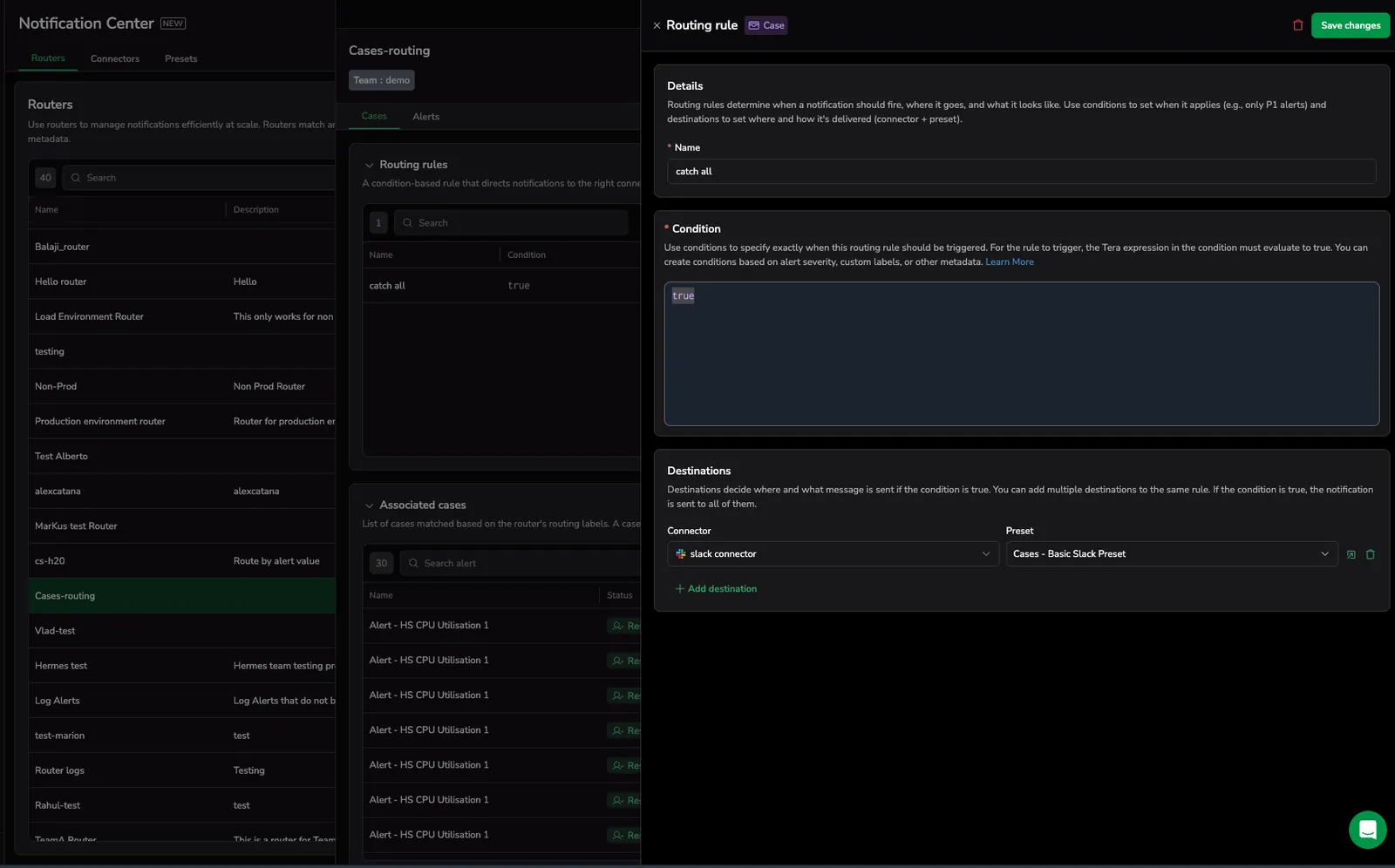
Why Cases: Reduce noise and focus operational effort on meaningful, actionable issues.
Evaluation and activity visibility
Use case: Understand how alert behavior evolves over time, correlate alert state changes with system behavior, and understand impact progression during an issue.
- Incidents
- Cases
Provides evaluation charts showing when alerts triggered and basic threshold behavior.
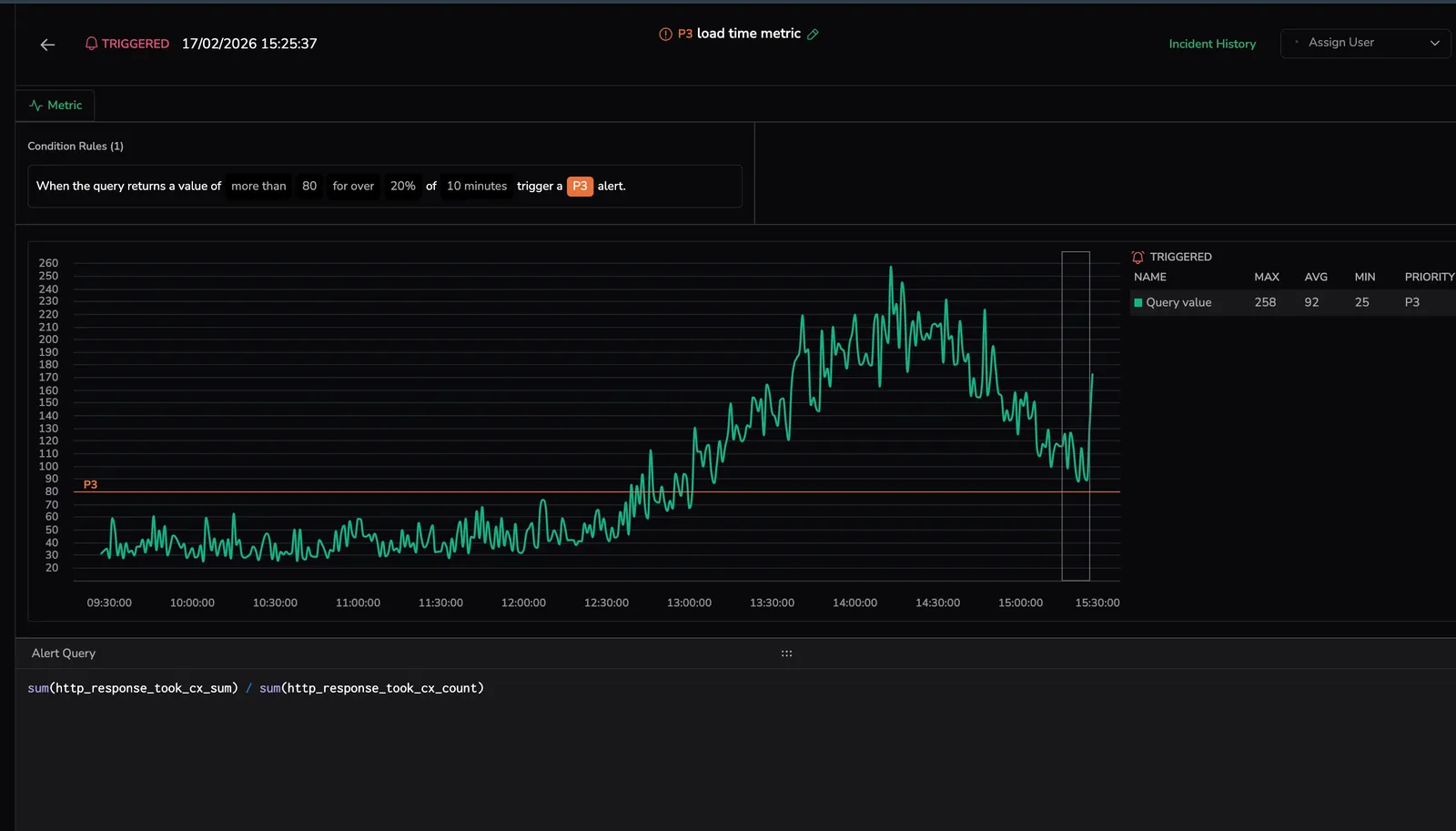
Provides enriched evaluation charts with case timeline context, alert behavior over time, and impact progression to help understand what happened and how the issue evolved.
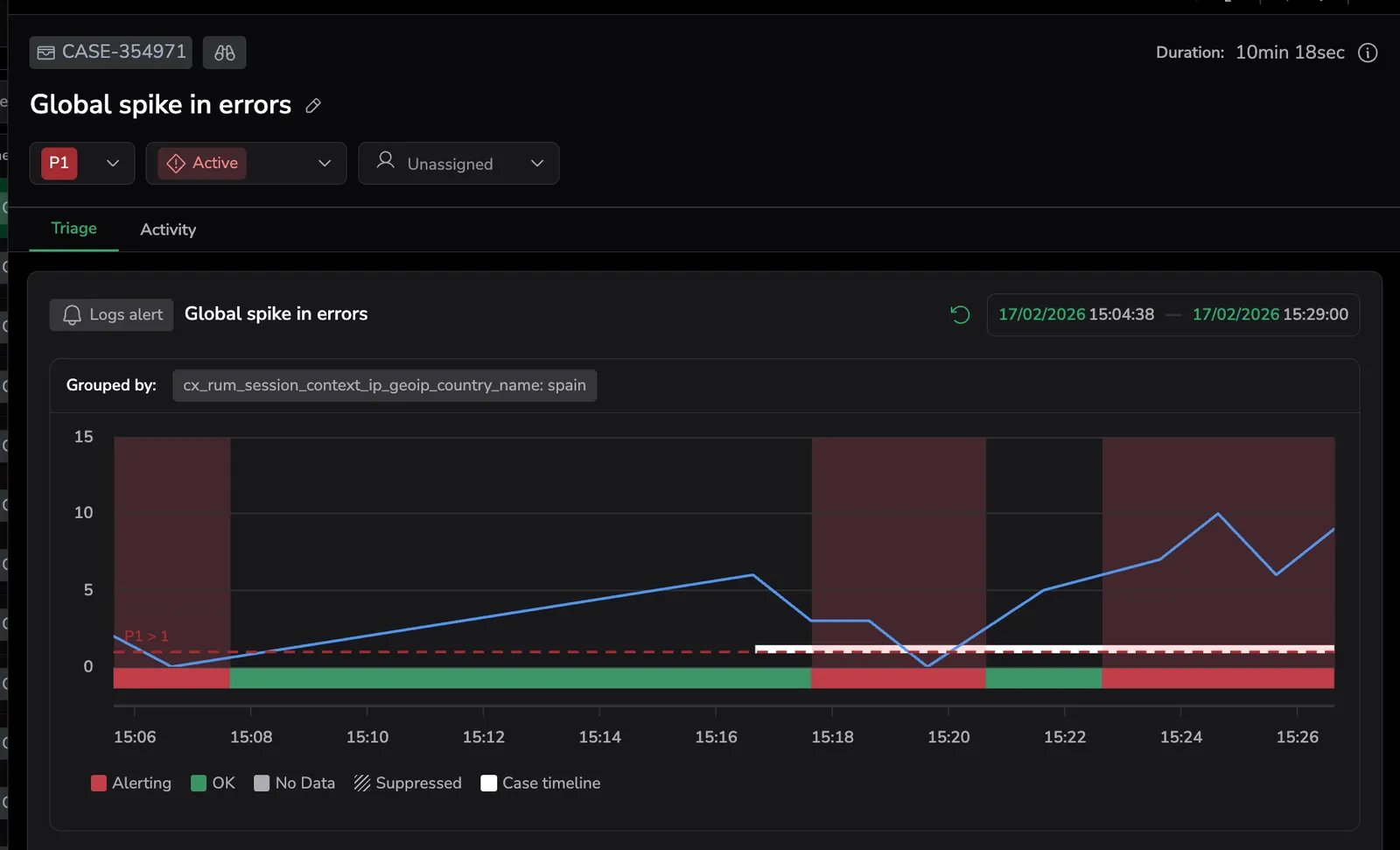
Why Cases: Understand alert behavior and impact progression, not just trigger events.
Alert evaluation and chart behavior
Use case: Understand how alert conditions are evaluated, analyze metric behavior, and investigate impacted entities during an issue.
- Incidents
- Cases
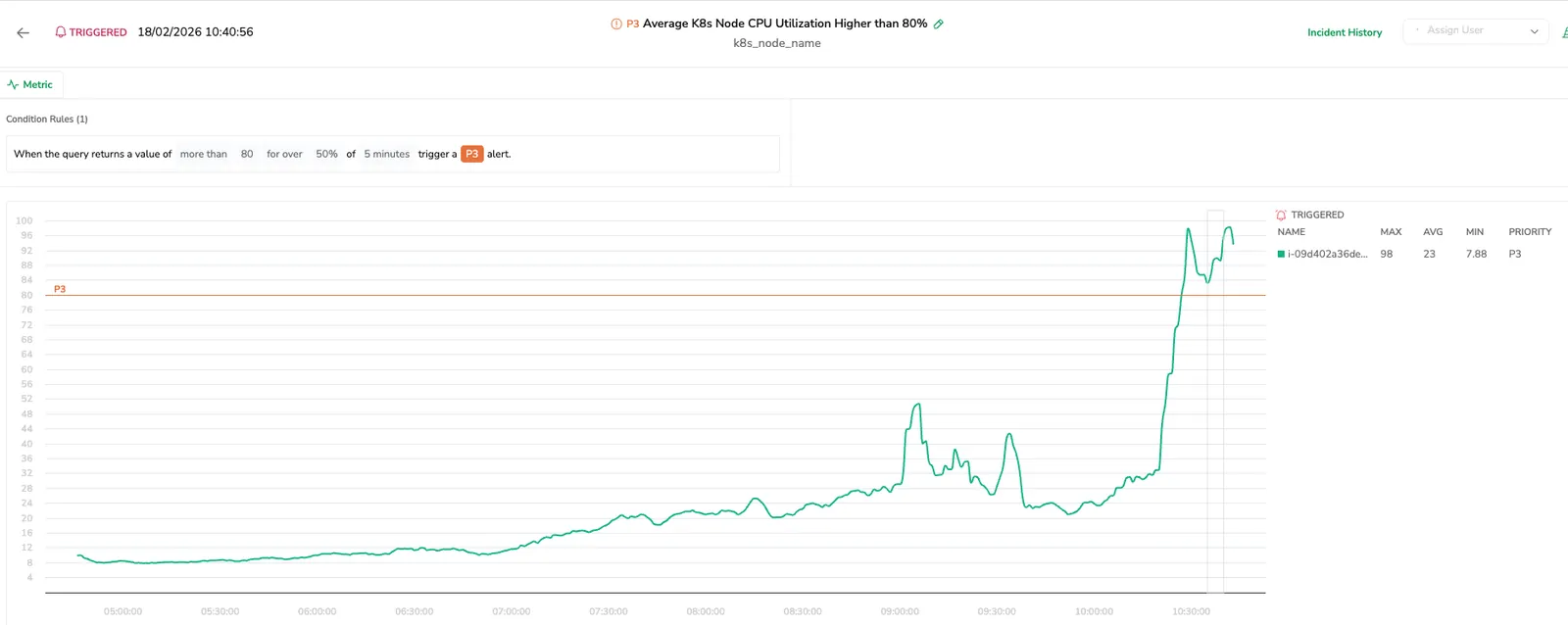
Display the underlying metric evaluation used by the alert, showing metric values and threshold conditions. Results are grouped by permutations with default aggregated views (for example min, max, and avg). Investigation requires navigating across grouped results. Incidents can remain open even after alert conditions change if not manually updated. Incidents are also created for suppressed alerts but marked as suppressed.
Display the alert evaluation directly from the alert definition, showing alert state and behavior over time within case context. Users can drill down into affected entities and alert groups to investigate impact. Cases automatically reflect alert state changes and resolve when the alert condition is no longer active (for example when state returns to OK, the alert is deleted, or the definition changes). Currently Suppressed alerts do not create Cases.
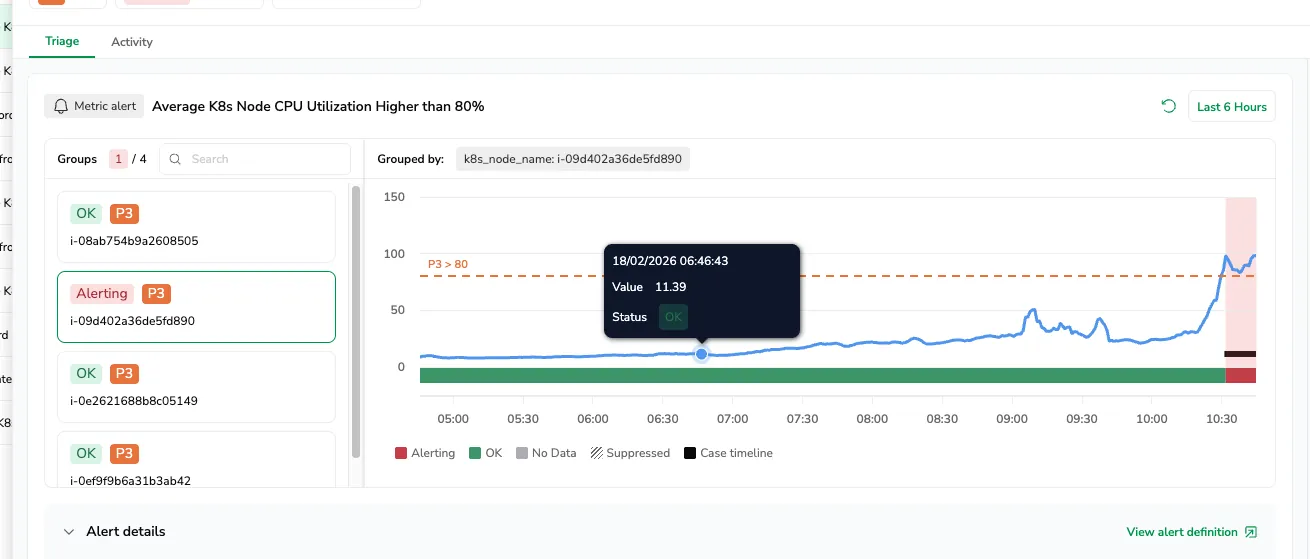
Why Cases: Investigate alert behavior directly, drill into impacted entities, and keep operational issues aligned with current alert state while avoiding noise from suppressed activity.
History and operational activity tracking
Use case: Track issue progression, investigation activity, and responder engagement throughout the lifecycle of an operational issue.
- Incidents
- Cases
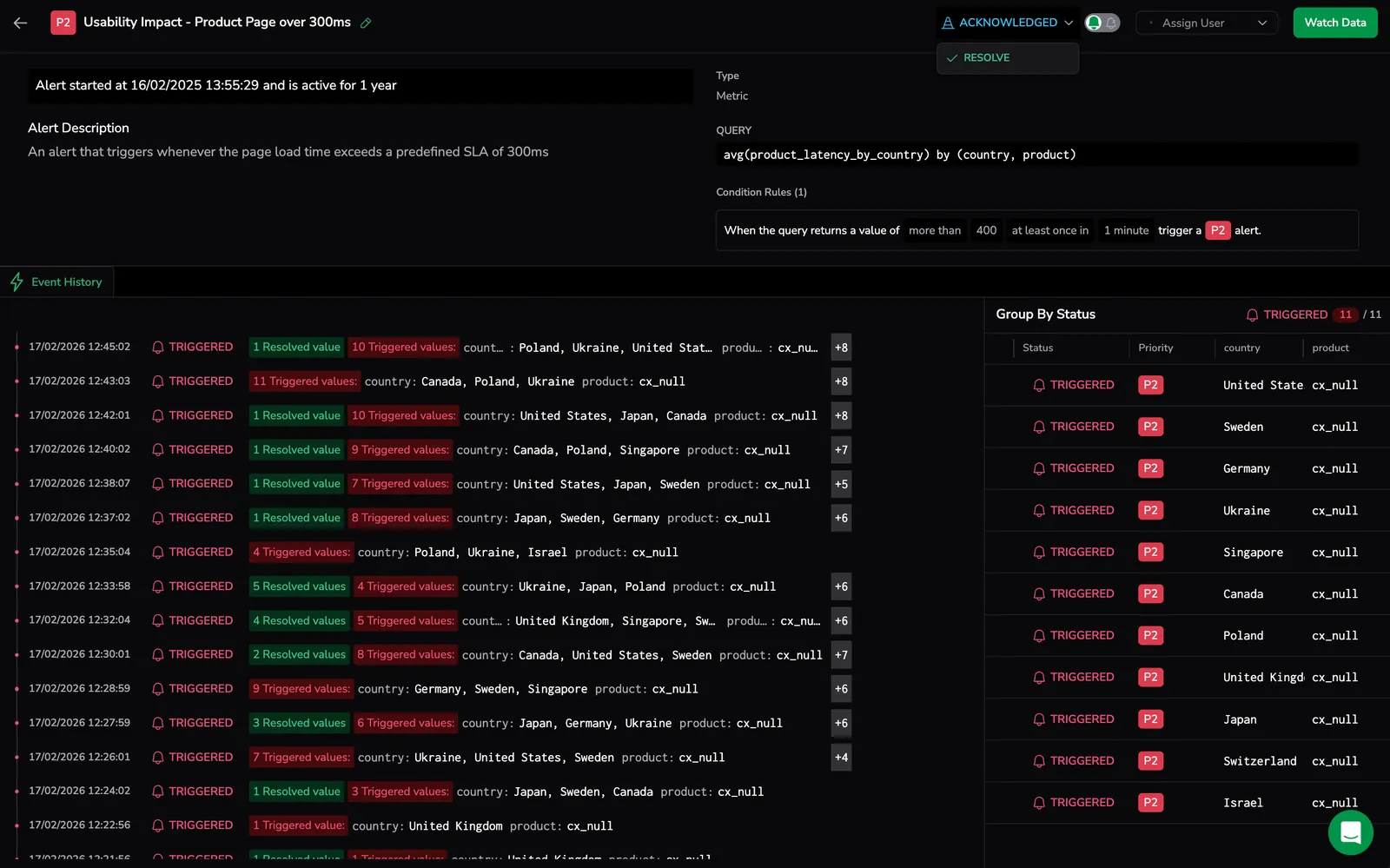
Provide basic incident history showing alert state changes such as trigger, acknowledgment, and resolution events, with limited visibility into investigation activity or team actions.
Provide a structured activity timeline that records lifecycle updates (status changes with comments), case creation, ownership changes, investigation actions, and notification triggers showing when and how responders were notified.
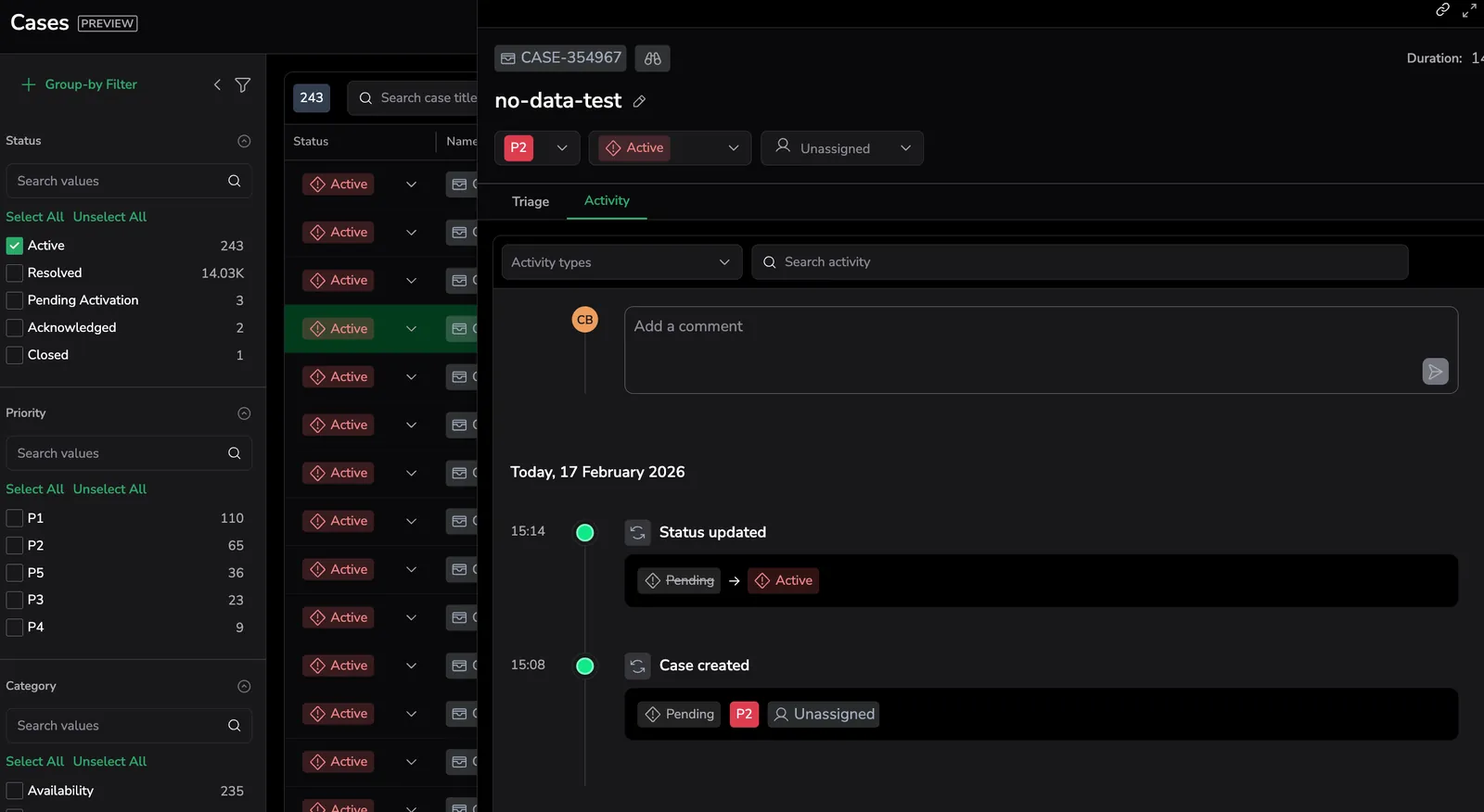
Why Cases: Get complete visibility into both alert behavior and operational response with full investigation and collaboration context.
Case creation and noise control
Use case: Control when operational issues are created from alerts, reduce noise from short-lived conditions, and prevent repeated handling of the same problem.
- Incidents
- Cases
Create incidents directly when alerts trigger, with limited control over filtering, timing behavior, or repeated alert handling. Users manage alert noise and repeated triggers manually.
Provide configurable Case settings to control how alerts generate Cases and how alert activity is handled over time, including:
- Case filtering rules to define which alerts can create Cases
- Suppression windows to delay Case creation and avoid short-lived issues
- Post-resolution cooldown to prevent repeated Cases for unstable conditions
- Inactivity resolution timers to automatically resolve inactive Cases
These controls help ensure that Cases represent sustained, actionable operational issues.
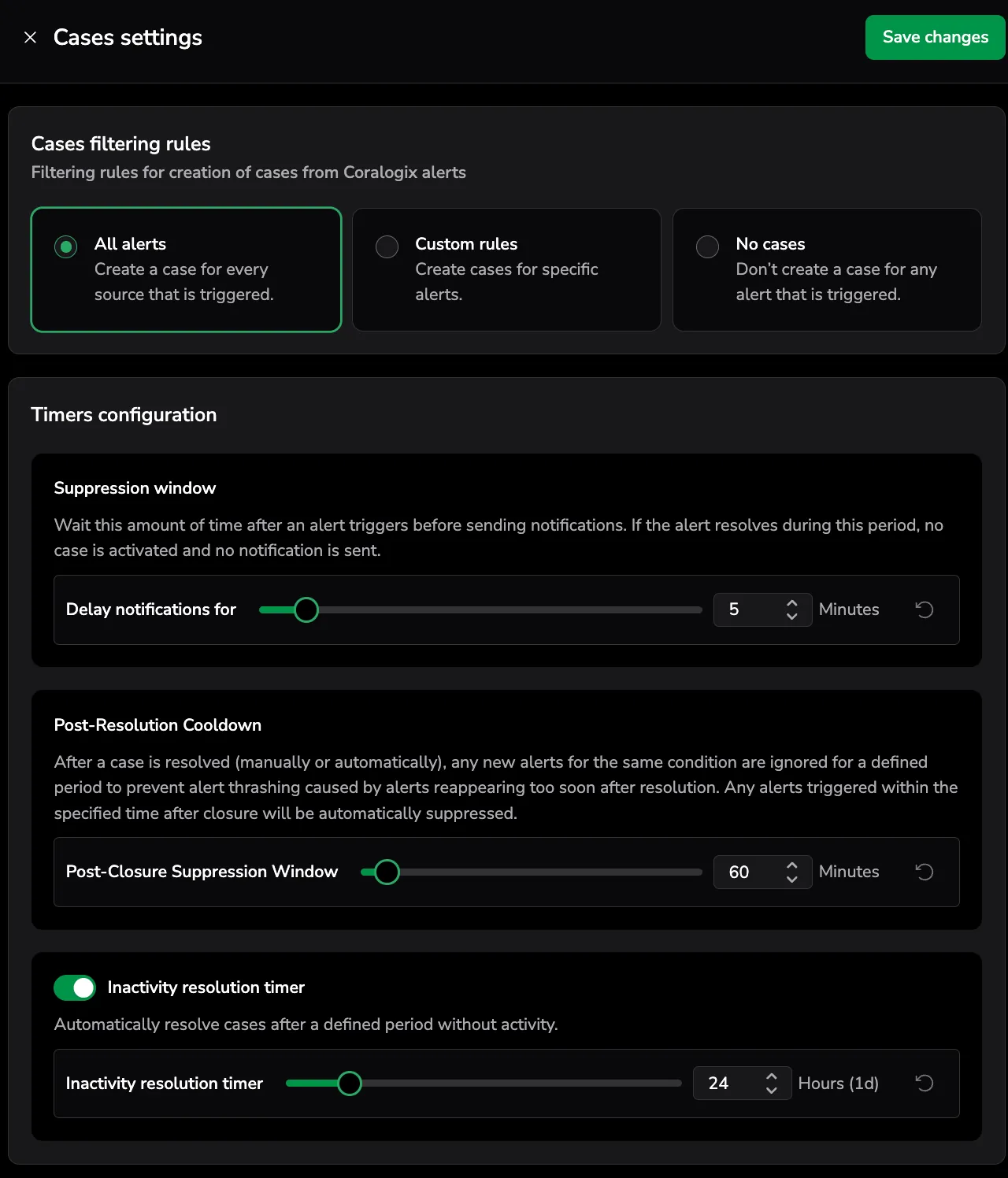
Why Cases: Reduce alert noise, avoid repeated issue handling, and ensure the Cases view reflects meaningful operational problems.
Resolution behavior and alert lifecycle alignment
Use case: Ensure operational issue state reflects alert resolution behavior when Notify When Resolved is disabled in the alert definition.

- Incidents
- Cases
Remain open when the alert resolves if Notify When Resolved is not enabled, requiring manual review or intervention to update incident state.
Automatically resolve when the alert condition clears, ensuring the Case lifecycle reflects the actual issue state even when resolution notifications are not configured.
Why Cases: Keep operational issue state aligned with system behavior and avoid manual cleanup of resolved conditions.
Last updated behavior and lifecycle tracking
Use case: Understand when an operational issue was meaningfully updated and track its lifecycle accurately.
- Incidents
- Cases
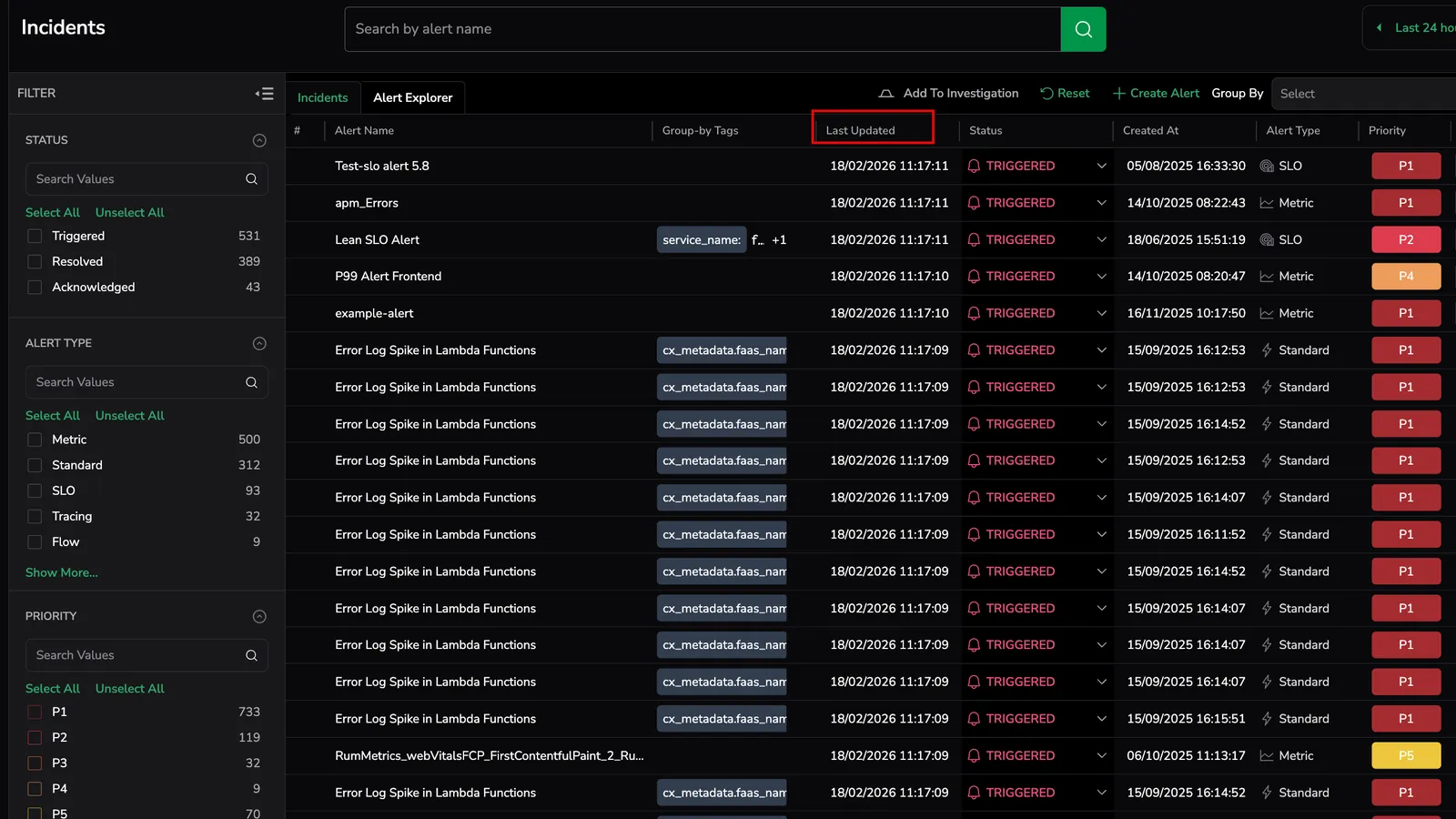
Update the Last updated timestamp for every processed alert event. Each evaluation or signal is treated as an update, even if it does not change incident state or behavior.
Update the Last updated timestamp only for meaningful operational changes, such as status updates, priority changes, assignments, or investigation activity.
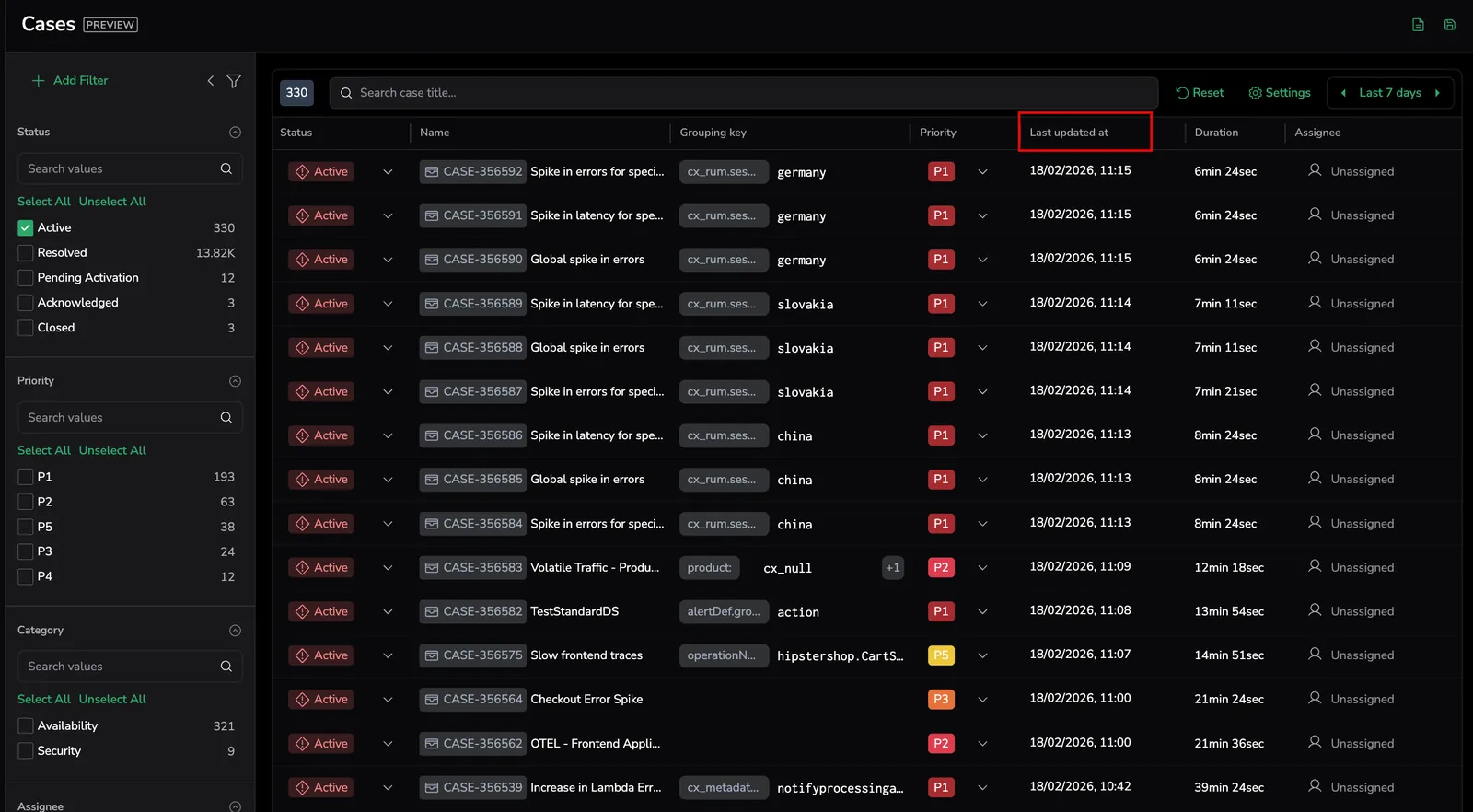
Why Cases: Reflect relevant operational progress instead of system heartbeat activity, making issue state easier to track and prioritize.
Operational scale
Use case: Operate reliably in environments with high alert volume and multiple teams.
- Incidents
- Cases
Best suited for monitoring individual alert triggers and manual analysis.
Designed for continuous monitoring, large-scale environments, and cross-team collaboration.
Why Cases: Scale incident management while reducing operational overhead and alert noise.
Related resources
Next steps
Configure filtering rules, timing, and notification routing in Set up Cases.