Upwind webhook integration with Coralogix
Overview
Upwind Security integration connects Coralogix with Upwind’s runtime-powered CNAPP to provide unified visibility and security across cloud environments. It allows users to correlate security data from Upwind — including vulnerabilities, misconfigurations, data exposure, API, and identity risks — with logs and metrics in Coralogix. This enables real-time threat detection, automated response and end-to-end visibility from runtime to code for faster investigation and remediation.
Getting started
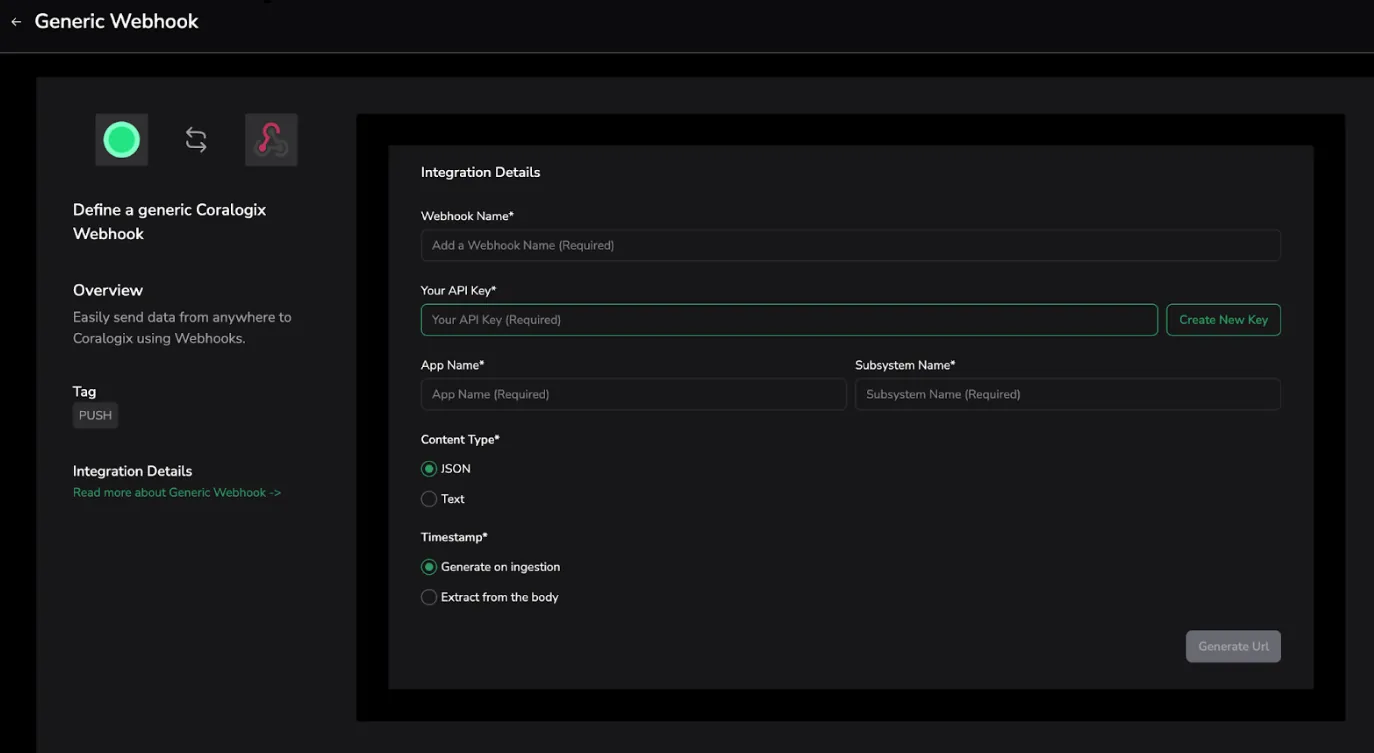
Step 1: Create an incoming webhook in Coralogix
- Login to Coralogix
- Navigate to Data Flow > Contextual Data > Generic Incoming Webhooks.
- Click "Add New"
- Fill in the webhook form:
- Name: Upwind Integration
- Application and Subsystem names
- Content-Type: JSON
Click Generate URL and copy the webhook URL.
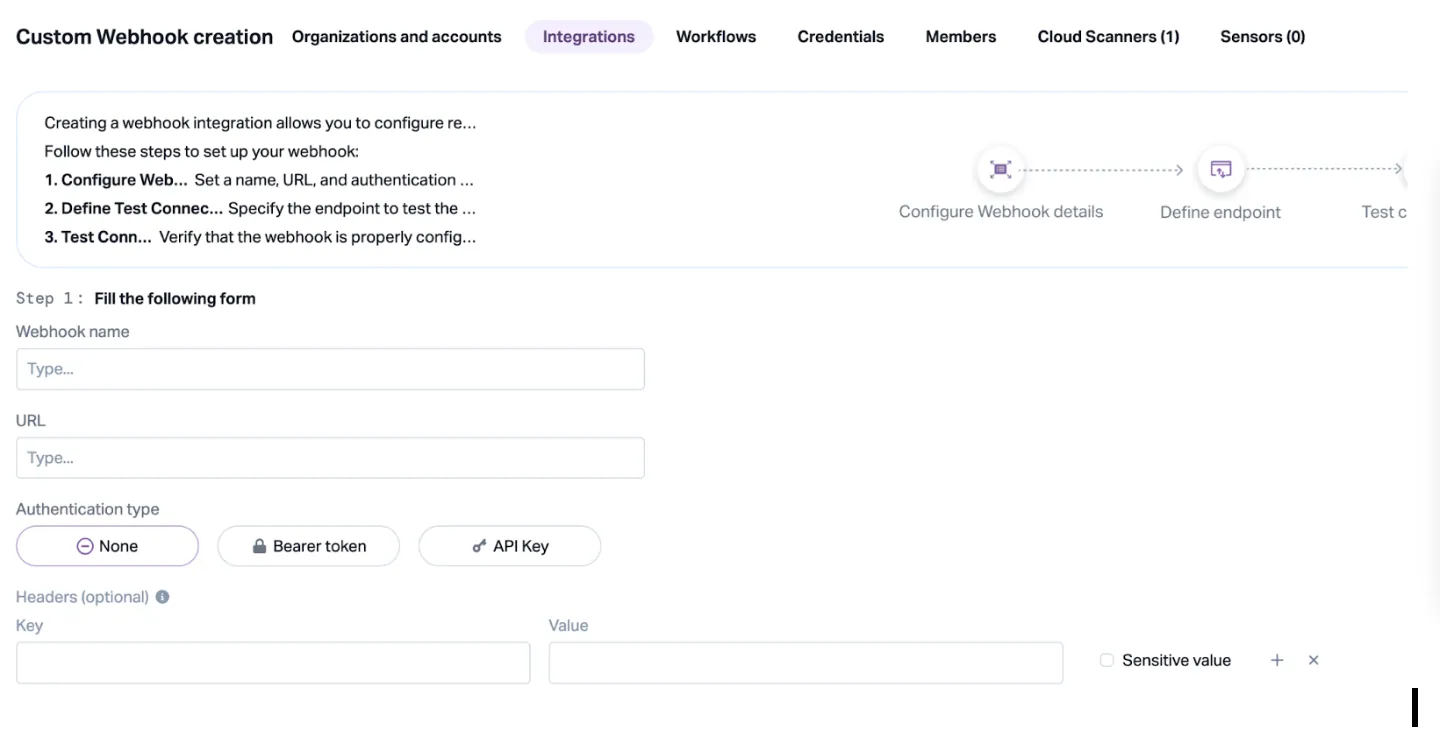
Step 2: Setup an outbound webhook in Upwind
-
Login to Upwind
-
Go to Settings > Integrations > Webhooks
-
Click Add New webhook.
Enter webhook details:
- Name: Send to Coralogix
- Webhook URL: Coralogix webhook URL, previously generated.
- Choose event types to send
- Use JSON as payload format
-
Save and enable the webhook
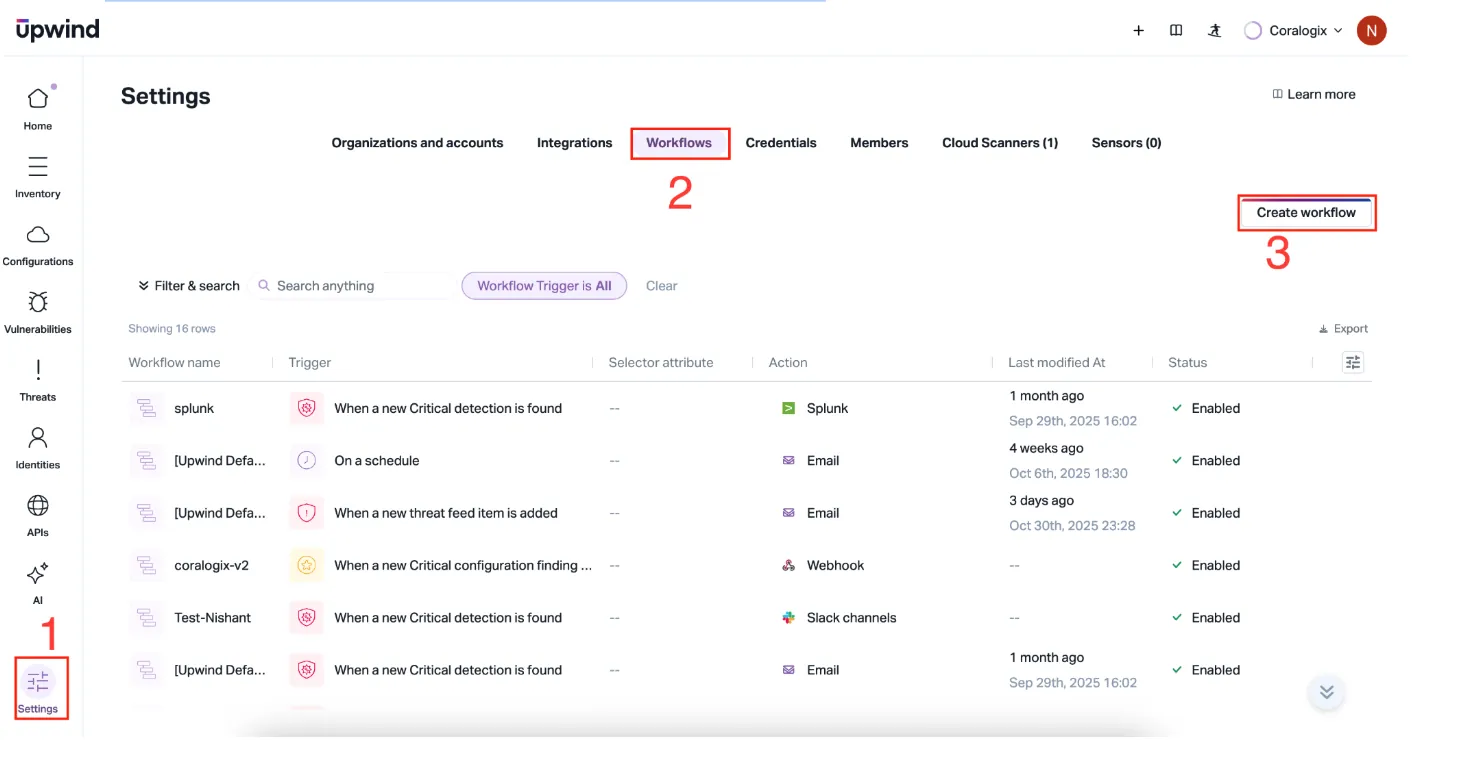
Step 3: Create a workflow
-
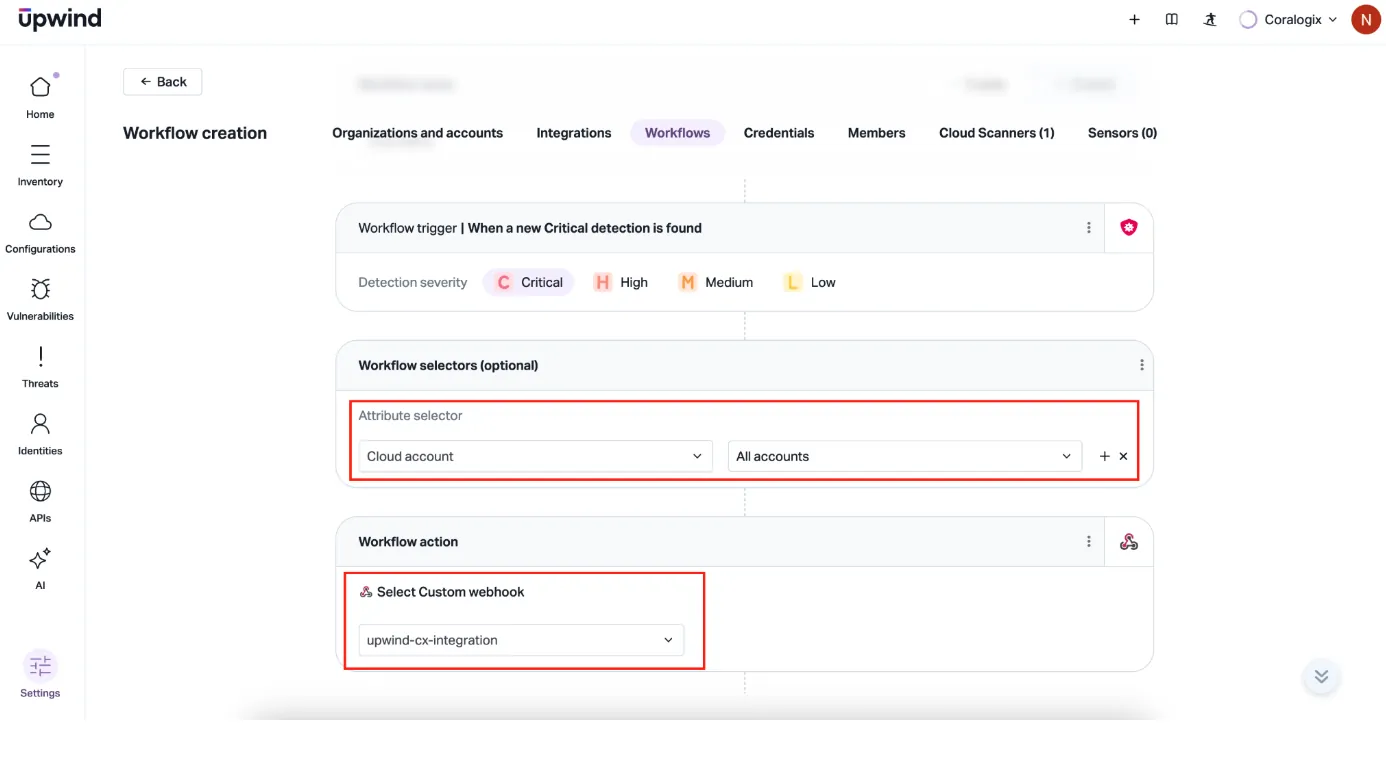
Go to Settings > Workflow > Create workflow
-
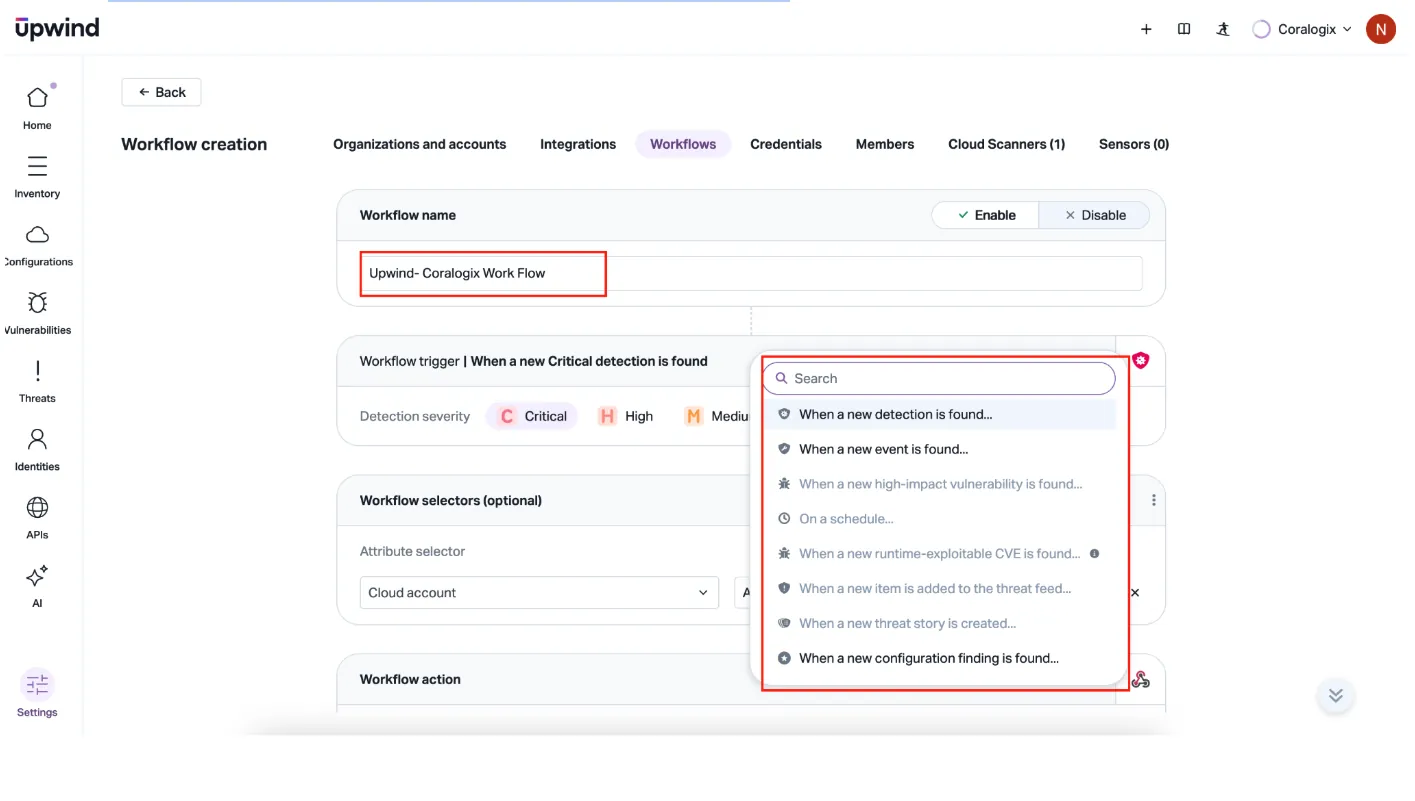
Give the workflow a descriptive name and select a workflow trigger.
-
Optionally, add Workflow selectors. Navigate to Workflow action > Select Custom webhook and select the Coralogix integration webhook.
-
Save the flow.
Step 4: Validate logs in Coralogix
- Trigger test events in Upwind or wait for natural logs.
- In Coralogix, verify events using the chosen application and subsystem.