# Bitbucket Version Tags
Copy as Markdown[Open in ChatGPT](https://chatgpt.com/?q=Read%20https%3A%2F%2Fdocs-docusaurus.kinsta.page%2Fdeveloper-portal%2Fapis%2Fversion-tags%2Fbitbucket-version-tags.md%20and%20help%20me%20with%20my%20question%20about%20this%20Coralogix%20documentation%20page.)[Open in Claude](https://claude.ai/new?q=Read%20https%3A%2F%2Fdocs-docusaurus.kinsta.page%2Fdeveloper-portal%2Fapis%2Fversion-tags%2Fbitbucket-version-tags.md%20and%20help%20me%20with%20my%20question%20about%20this%20Coralogix%20documentation%20page.)
Coralogix supports integration with [`Bitbucket`](https://confluence.atlassian.com/bitbucketserver/manage-webhooks-938025878.html) webhooks, which can be used to inform Coralogix when a new build has been issued.
## API endpoint[](#api-endpoint "Direct link to API endpoint")
Choose the https\://api./api/v1/external/bitbucket endpoint that corresponds to your Coralogix [domain](https://docs-docusaurus.kinsta.page/user-guides/account-management/account-settings/coralogix-domain/.md) using the domain selector at the top of the page.
## Configuration[](#configuration "Direct link to Configuration")
1. Log into Bitbucket using your user credentials.
2. Click your desired Repository to select it.
3. Click "Repository settings" on the left.
4. Under General \ Repository details, click "Webhooks".
5. Click "Add webhook".
6. Add a Title (for example: "Coralogix builds").
7. In the URL box, enter the https\://api./api/v1/external/bitbucket endpoint that corresponds to your Coralogix [domain](https://docs-docusaurus.kinsta.page/user-guides/account-management/account-settings/coralogix-domain/.md).
**URL Parameters**
* API endpoint
* To use this API you need to [create](https://docs-docusaurus.kinsta.page/user-guides/account-management/api-keys/api-keys/.md) a personal or team API key. It’s recommended to use permission presets, as they are automatically updated with all relevant permissions. Alternatively, you can manually add individual permissions.
| Preset | Action | Description |
| --------------- | --------------------------------------------------------------------------------------------------------- | -------------------------------------------------------------------------------------------------- |
| CICDIntegration | `VERSION-BENCHMARK-TAGS:READ`
`VERSION-BENCHMARKS-REPORTS:READ`
`VERSION-BENCHMARK-TAGS:UPDATE` | View Version Benchmark Tags
View Version Benchmark Reports
Modify Version Benchmark Tags |
* Application Name:
* Enter your desired Application name. Please use a name corresponding to your logs "Application" name.
* Subsystem Name:
* Enter your desired Subsystem name. Please use a name corresponding to your logs "Subsystem" name.
* You can specify more than 1 Subsystem name, separated by a commas.
* Tag Name
**URL Example**
`https://api.eu2.coralogix.com/api/v1/external/bitbucket/?application=bitbucket&subsystem=build-tag-test&name=bitbucket-tag-test`
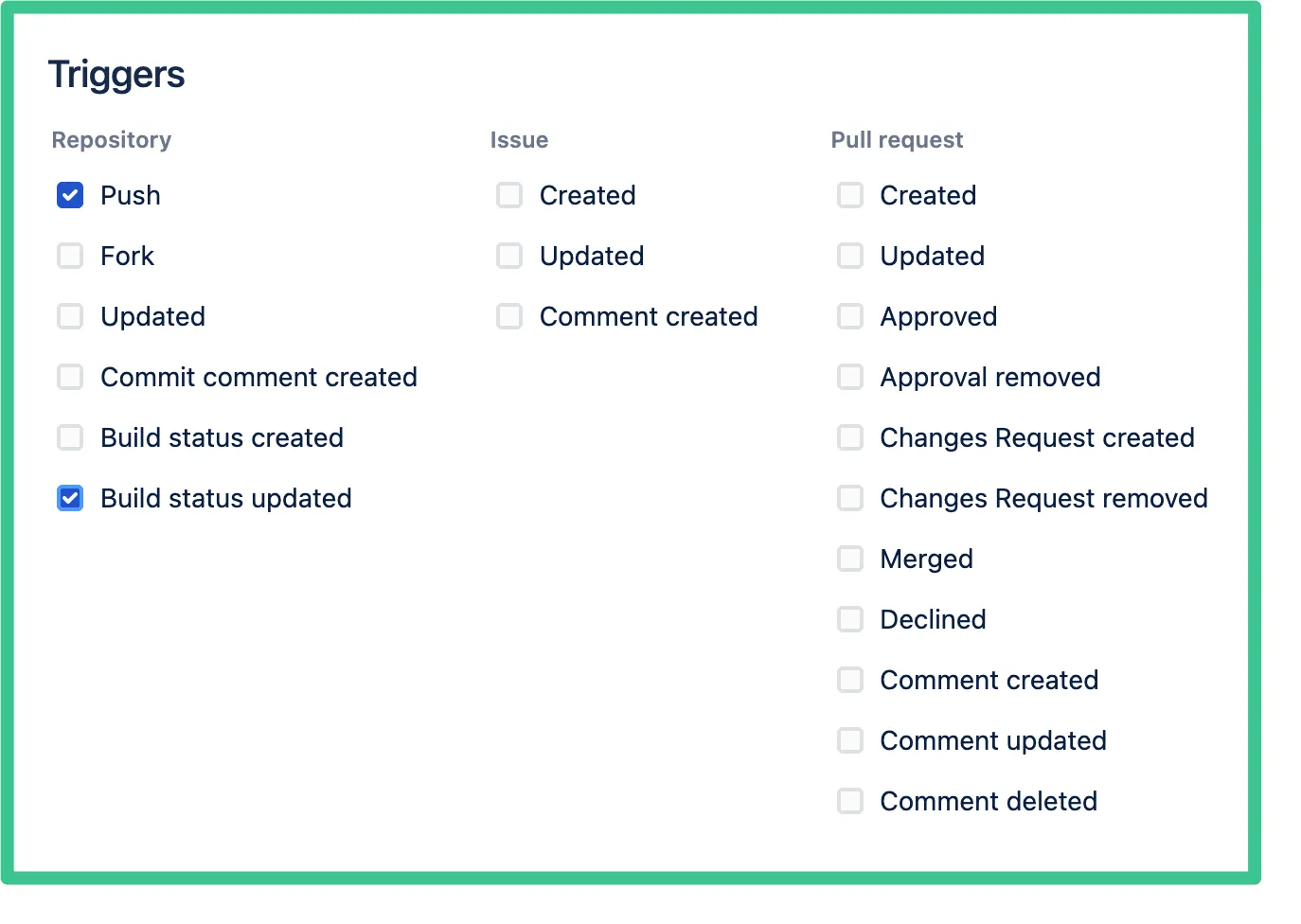
* Under "Triggers", please select Build status updated".
[](https://docs-docusaurus.kinsta.page/assets/images/Bitbucket-Triggers-972be56ab46dc78955e81850034e64f7.webp)
* On the right bottom, please click "Save".
## Additional resources[](#additional-resources "Direct link to Additional resources")
| | |
| ------------------- | ----------------------------------------------------------------------------------------------- |
| Coralogix Endpoints | [Coralogix Endpoints](https://docs-docusaurus.kinsta.page/integrations/coralogix-endpoints/.md) |